Host listeners
TCP listeners on the host, rescanned every 3 seconds. node, java, python and bun processes are named after their project folder.
Ports Manager watches host listeners, kind and minikube services and podman and docker containers, keeps the history, and reserves free ports for you, your scripts and your coding agents through one local API.
Eleven SDKs, standard library only
The bundled skill teaches coding agents to go through pmctl. The backend serializes reservations, so parallel agents spinning up services each get their own port.
./scripts/install-skill.sh copies the skill for claude, codex, cursor, agy or all of them.pmctl health. Exit code 3 means the backend is down and it stops.pmctl next <app>, which prints only the port.kill, container-stop and image-rm need your explicit yes before the agent adds --yes.Three scanners feed one SQLite catalog. The UI, the CLI and the SDKs all read the same API.
TCP listeners on the host, rescanned every 3 seconds. node, java, python and bun processes are named after their project folder.
Clusters are read from your kubeconfig every 15 seconds, and their NodePort services show up next to host ports.
List containers, inspect one, stop it, or delete its image after a confirmation. Starts, stops and removals are kept as history.
Reserves and returns a port in 3000-9999 after checking the registry, live listeners and a real bind test.
One single threaded event loop and a mutex around every catalog write, so two callers never get the same port.
Asks first in the UI and the CLI, forces SIGKILL only when told to, and refuses to kill its own backend.
Every port ever seen with first and last seen, plus opened, closed, registered, reserved, released and killed events.
A SQLite catalog at ~/.ports-manager/catalog.db. The API binds 127.0.0.1 by default.
A macOS tray app. Click to open, panels expand to almost full screen or dock to the side, window position is remembered.
Each SDK talks to the backend with ?format=tsv and reads PM_URL when the default address is not where your backend runs.
PortsManagerClient client = new PortsManagerClient();
List<PortEntry> ports = client.listPorts();
Reservation r = client.nextFreePort("my-app");val client = PortsManagerClient()
val ports: List[PortEntry] = client.listPorts()
val r: Reservation = client.nextFreePort("my-app")val client = PortsManagerClient()
val ports: List<PortEntry> = client.listPorts()
val r: Reservation = client.nextFreePort("my-app")from ports_manager import Client
client = Client()
for entry in client.list_ports():
print(entry.port, entry.app, entry.source)
print(client.next_free_port("my-app").port)let client = ports_manager::Client::new(None)?;
let ports = client.list_ports()?;
let reservation = client.next_free_port("my-app")?;client := portsmanager.NewClient("")
ports, err := client.ListPorts()
reservation, err := client.NextFreePort("my-app")import PortsManager
let client = Client()
let ports = try await client.listPorts()
let reservation = try await client.nextFreePort("my-app")#include "client.hpp"
portsmanager::Client client;
auto ports = client.list_ports();
auto r = client.next_free_port("my-app");var arena = std.heap.ArenaAllocator.init(std.heap.page_allocator);
defer arena.deinit();
var client = try pm.Client.fromEnv(arena.allocator());
const ports = try client.listPorts(arena.allocator());
const r = try client.nextFreePort(arena.allocator(), "my-app");import { Client } from "ports-manager";
const client = new Client();
const ports = await client.listPorts();
const reservation = await client.nextFreePort("my-app");import { Client } from "ports-manager";
const client = new Client();
const ports = await client.listPorts();
const reservation = await client.nextFreePort("my-app");Live, Apps, History, Clusters, Registry, Containers and Settings. The boot screen shows the backend, API, port scan and UI coming up.
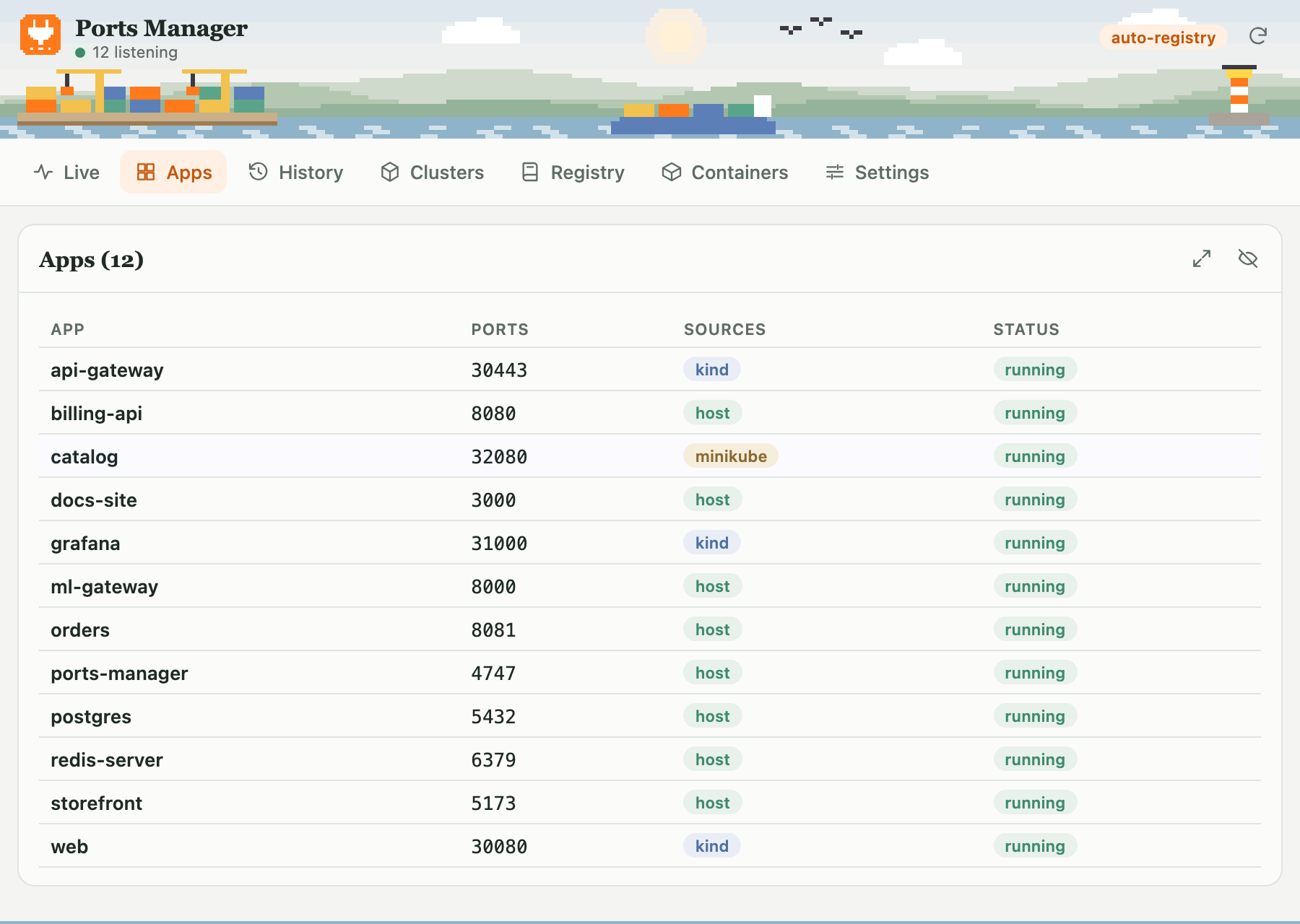
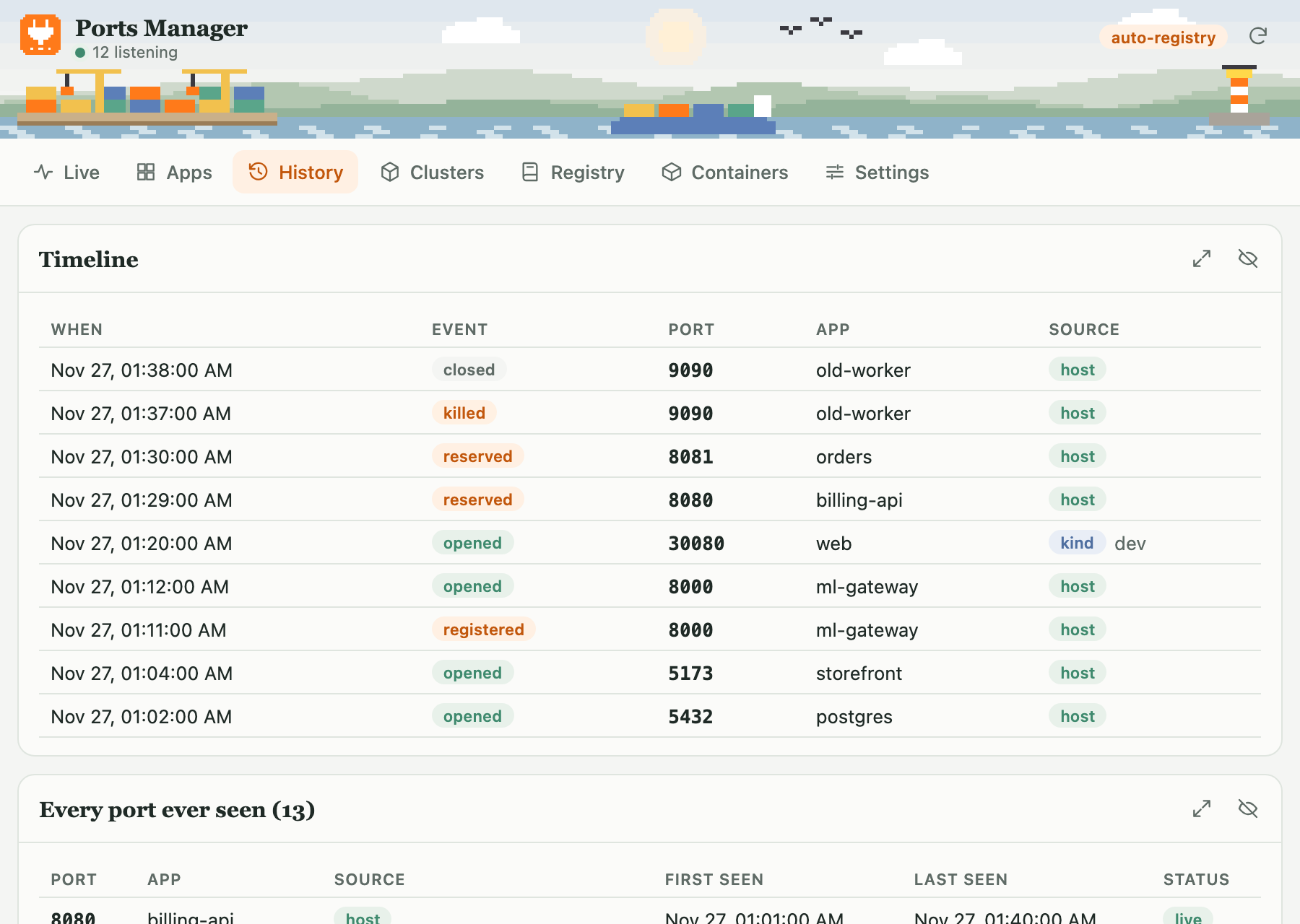
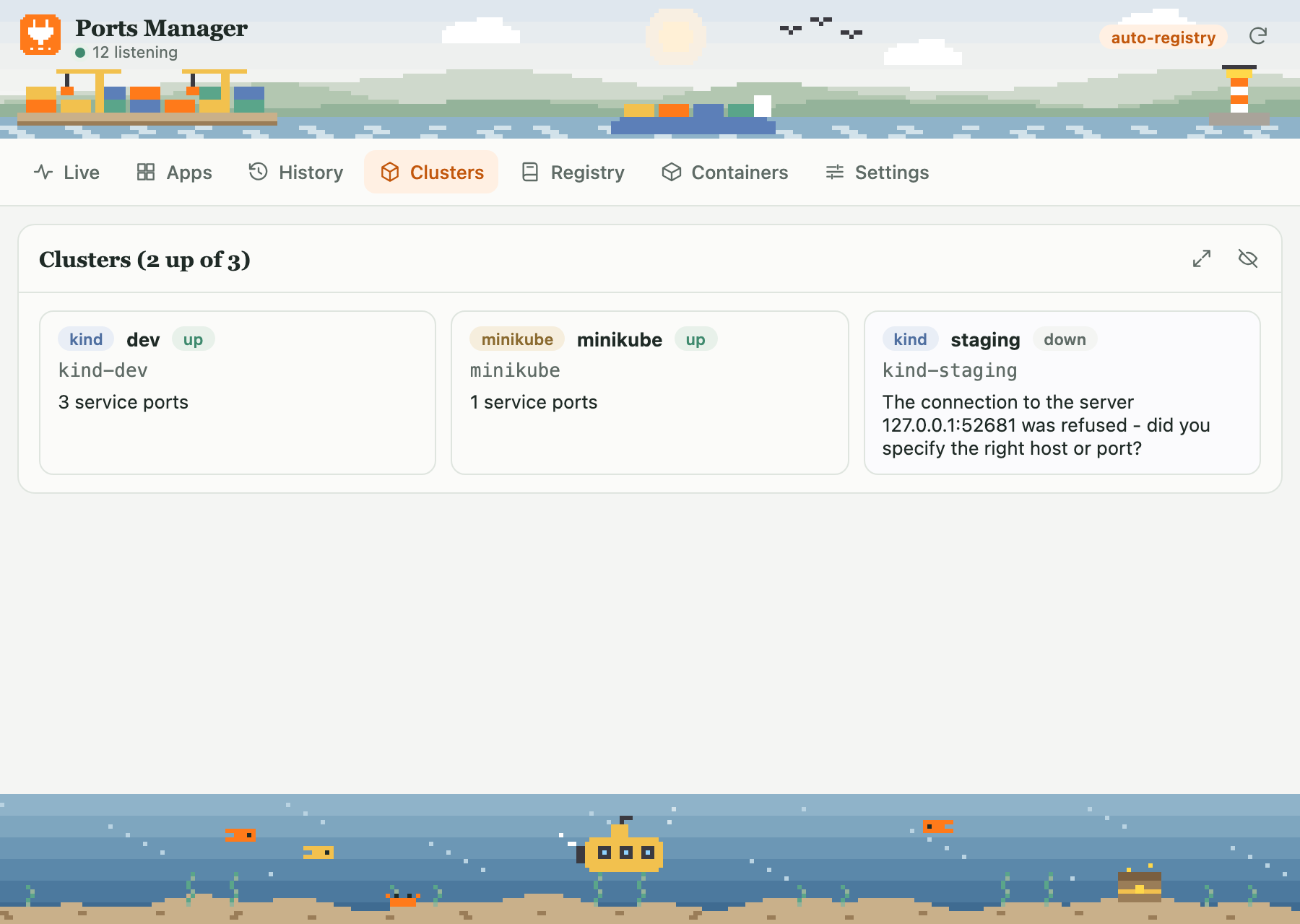
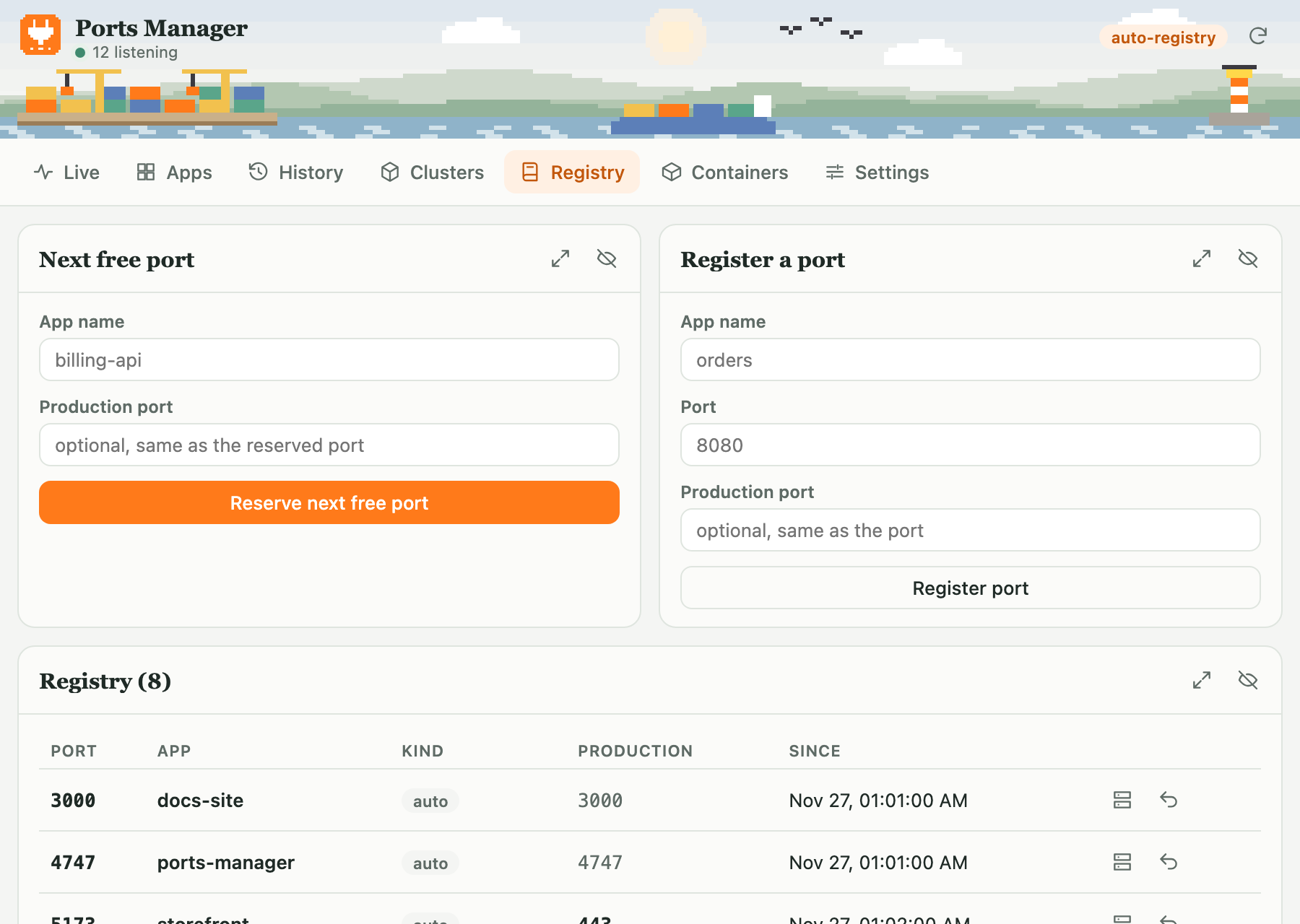
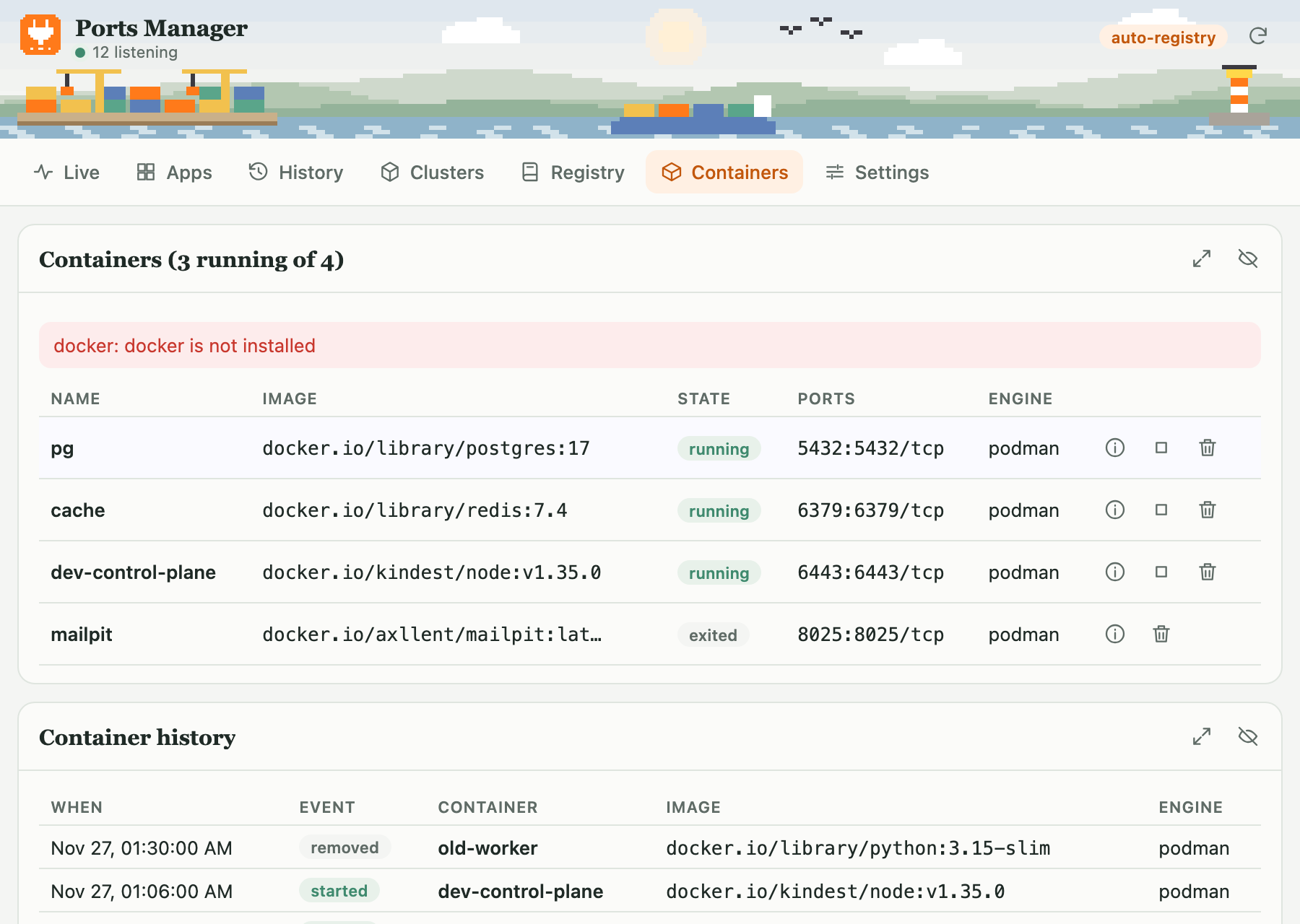
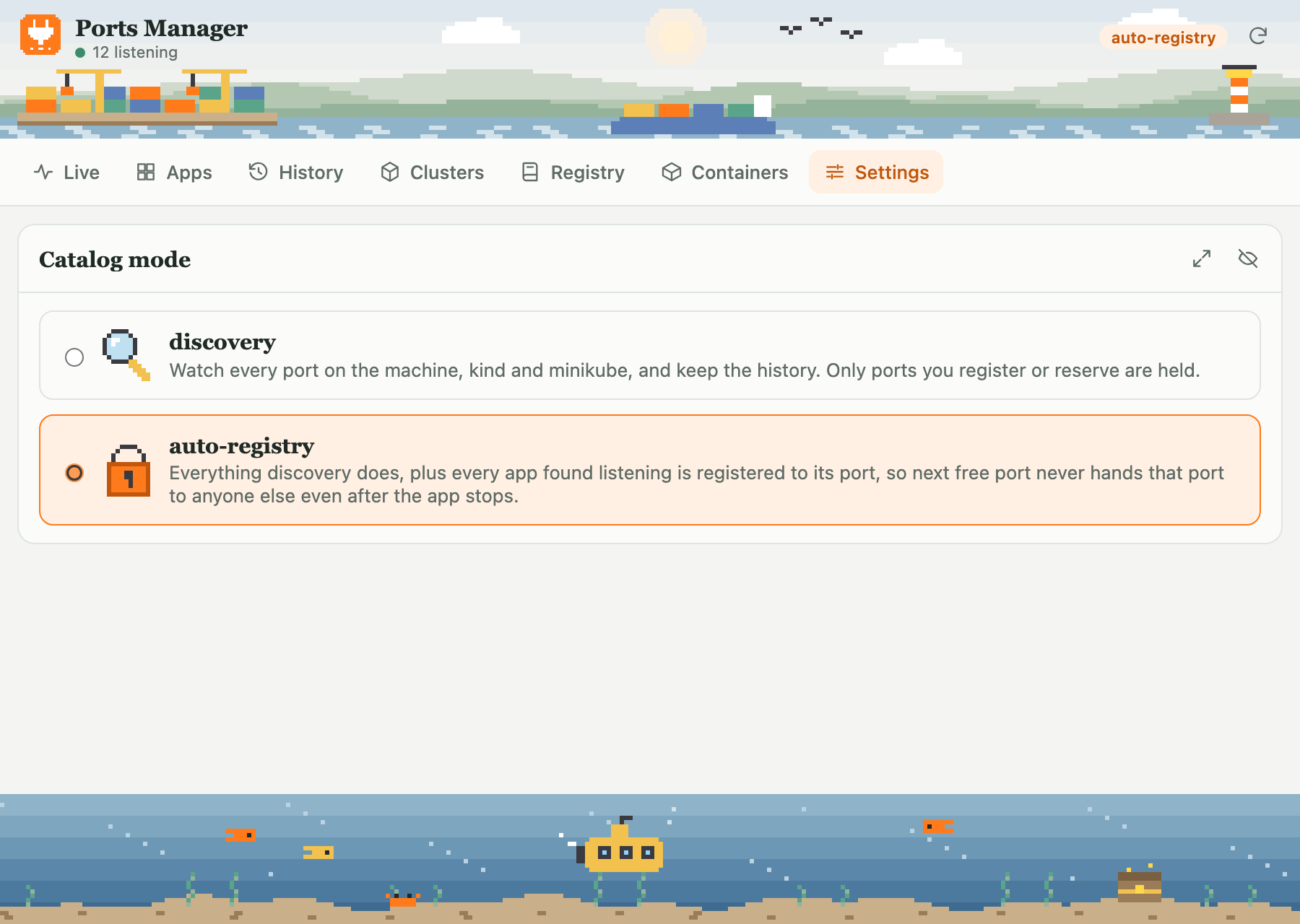
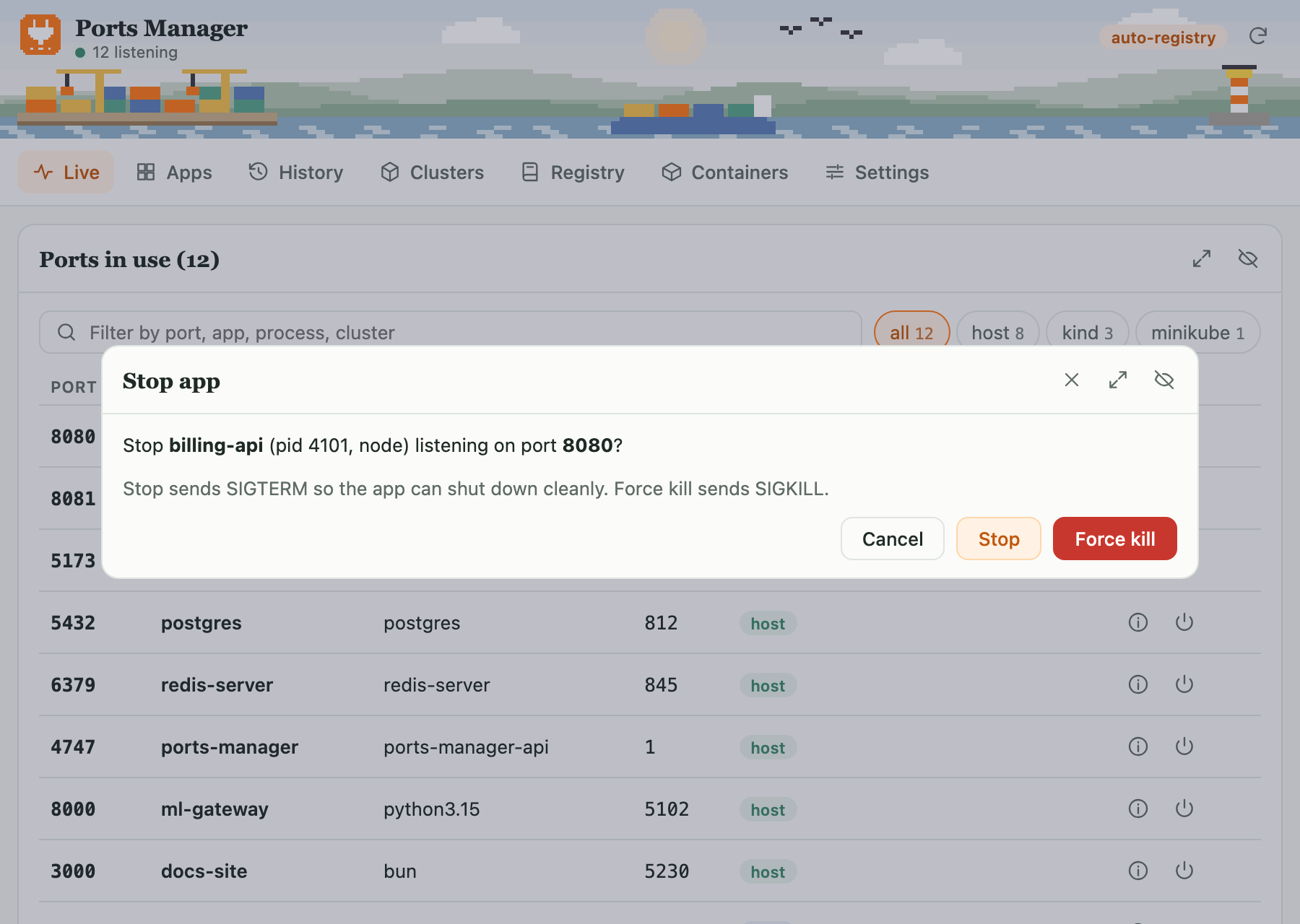
Add --json to any command. Set PM_URL to point it at another backend.
| Command | What it does |
|---|---|
| pmctl health | backend status and mode |
| pmctl ports [--source host|kind|minikube] | ports in use right now |
| pmctl port <port> | who uses a port, registry entry and history |
| pmctl apps | every app in the catalog |
| pmctl app <name> | ports and history of one app |
| pmctl next <app> [--from N] [--to N] | reserve the next free port for an app |
| pmctl register <app> <port> | register a port to an app |
| pmctl release <port> | release a registered or reserved port |
| pmctl kill <port> [--force] [--yes] | stop the process on a port, asks first |
| pmctl history [--limit N] | open and close events, every port ever seen |
| pmctl registry | registered and reserved ports |
| pmctl clusters | kind and minikube clusters |
| pmctl mode [discovery|auto-registry] | show or change the catalog mode |
| pmctl scan | rescan host and clusters now |
| pmctl containers | podman and docker containers |
| pmctl container <engine> <id|name> | full inspect of one container |
| pmctl container-stop <engine> <id|name> | stop a container, asks first |
| pmctl image-rm <engine> <image> [--force] | delete an image, asks first |
| pmctl container-history [--limit N] | container start, stop and removal events |
okthe command did what it said
refusedthe backend said no, or you answered no
usagebad or missing arguments
backend downopen the tray app or run scripts/start-all.sh
JSON by default, TSV with ?format=tsv for the SDKs.
| Method | Path | Purpose |
|---|---|---|
| GET | /v1/health | status, mode, listener count, last scan |
| GET | /v1/ports | ports in use, filter by source |
| GET | /v1/ports/{port} | who uses a port, registry entry, sightings |
| POST | /v1/ports/next | reserve and return the next free port |
| POST | /v1/ports/{port}/kill | SIGTERM, or SIGKILL with force |
| GET | /v1/apps | every app in the catalog |
| GET | /v1/apps/{name} | ports and history of one app |
| GET | /v1/apps/{name}/port | normal and production port of one app |
| GET | /v1/history | events and every port ever seen |
| GETPOST | /v1/registry | list or register ports |
| PUT | /v1/registry/{port}/production | set the production port |
| DELETE | /v1/registry/{port} | release a port |
| GET | /v1/clusters | kind and minikube clusters |
| GETPUT | /v1/mode | discovery or auto-registry |
| POST | /v1/scan | rescan host and clusters now |
| GET | /v1/containers | podman and docker containers |
| GET | /v1/containers/history | started, stopped, removed, image deleted |
| GET | /v1/containers/{engine}/{id} | full inspect of one container |
| POST | /v1/containers/{engine}/{id}/stop | stop a container |
| POST | /v1/images/{engine}/delete | delete an image |
Reserve a port: POST /v1/ports/next {"app":"billing"} returns the port and holds it for billing.
Installs Ports Manager.app in /Applications and puts pmctl on your PATH. One installed version, one running instance.
uninstall: ./scripts/uninstall-app.sh